ERP and client portal UI/UX redesign for IT asset disposition
This ITAD ERP UI/UX redesign focused on an internal operations platform and client portal for an IT asset disposition provider. We audited the existing software and redesigned internal workflows, project tracking, client communication and reporting.
About client
Our client is an IT asset disposition provider serving corporations, technology companies and educational institutions. They manage the pickup, data destruction, resale and recycling of retiring IT equipment, all under a zero-landfill policy. Their work depends on trust: clients need to know what is happening to their equipment at every stage, backed by audit-ready reporting they can hand to their own compliance teams.
Industry
IT asset disposition (ITAD) / ERP and client portal
Services we provided
– UX audit
– Internal platform redesign
– Client dashboard design
– Project tracking view design
– In-platform messaging design
– Client-facing email design
– Internal platform redesign
– Client dashboard design
– Project tracking view design
– In-platform messaging design
– Client-facing email design
Challenge
The team's internal tool had never had dedicated design input. That's normal for software only one team touches, until it reaches the point of slowing the exact operations it's meant to run. Then the business decided to give their own clients direct access to project status, which meant every screen a client could reach now had to hold up as a finished product, not an internal tool with a client bolted onto the side.
Solution
We audited the existing platform end to end, then rebuilt it around one shared pipeline: the same staged view of a project the operations team works from is what a client opens to see exactly where their hardware stands, down to the certificate proving it was destroyed. Internal workflows, the client portal, and the client-facing emails now read as one product instead of three.
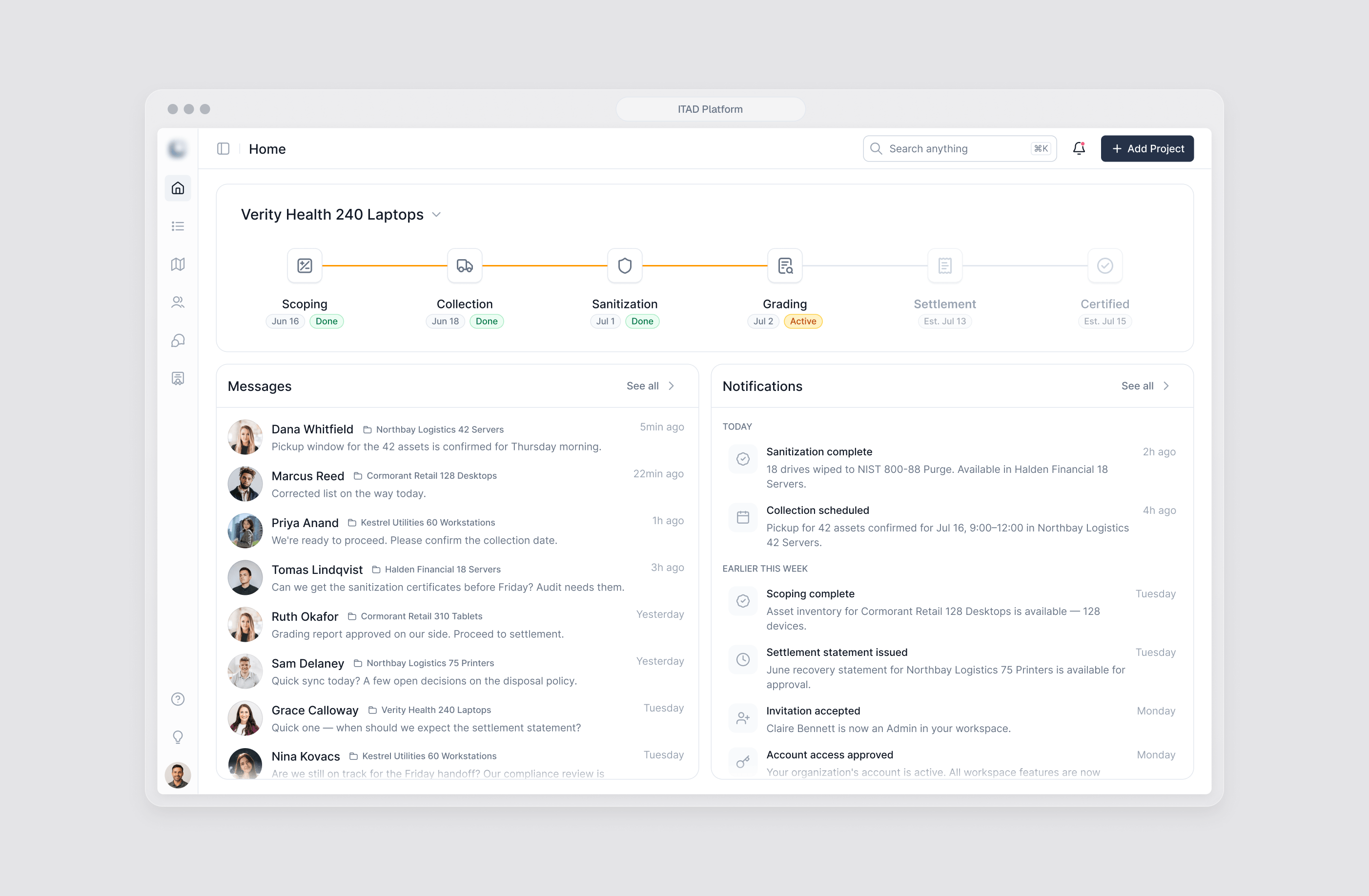
ITAD ERP UI/UX redesign for internal operations
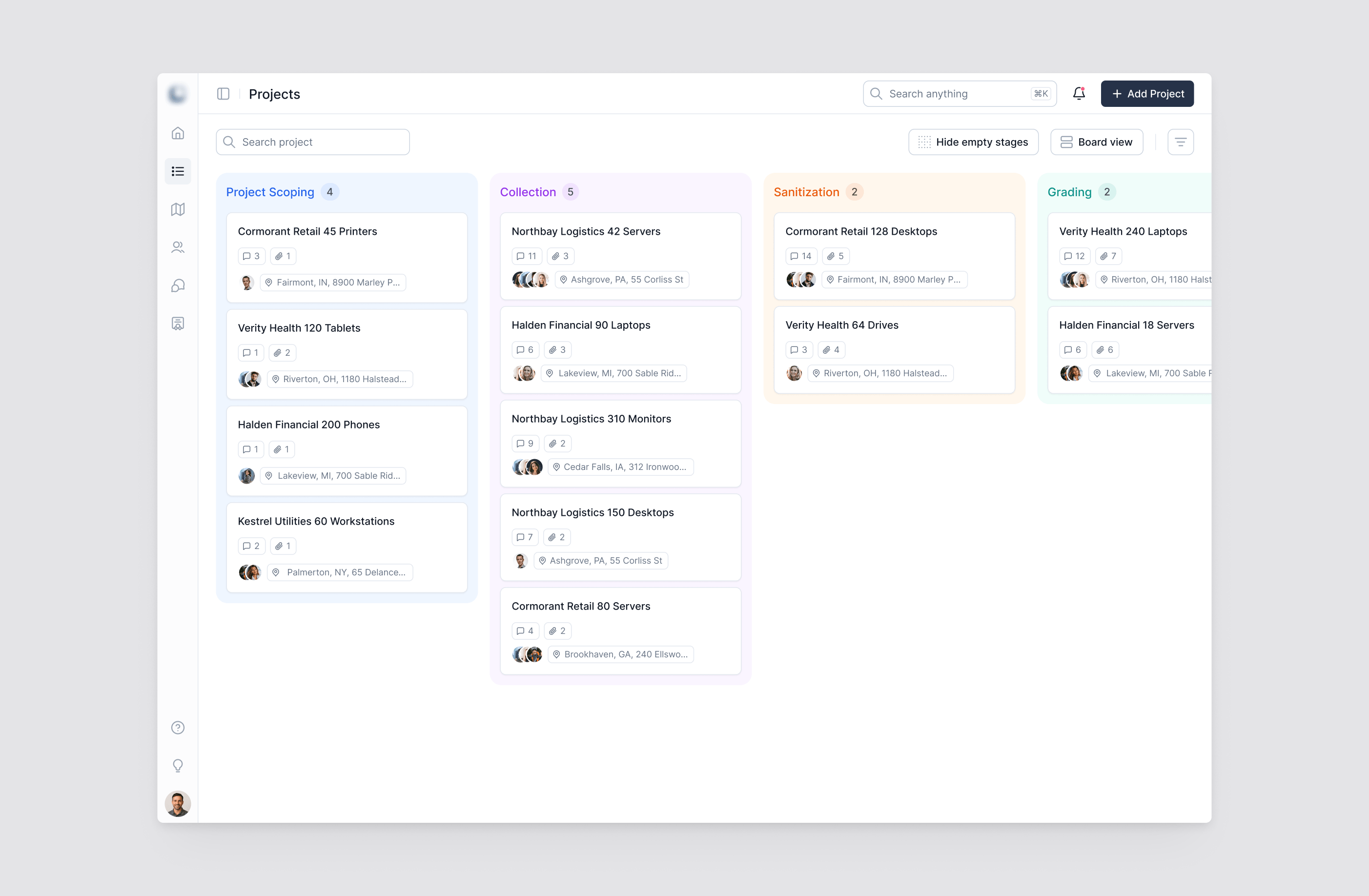
The team runs many projects at once, so we organised project tracking as a board built on six stages: scoping, collection, sanitization, grading, settlement and certification. Each column shows how many projects sit in that stage, and each card carries the project's location, the people involved and the number of its messages and files, so a coordinator can see where work is waiting without opening anything. Empty stages can be hidden to keep the board focused on what is actually in progress.
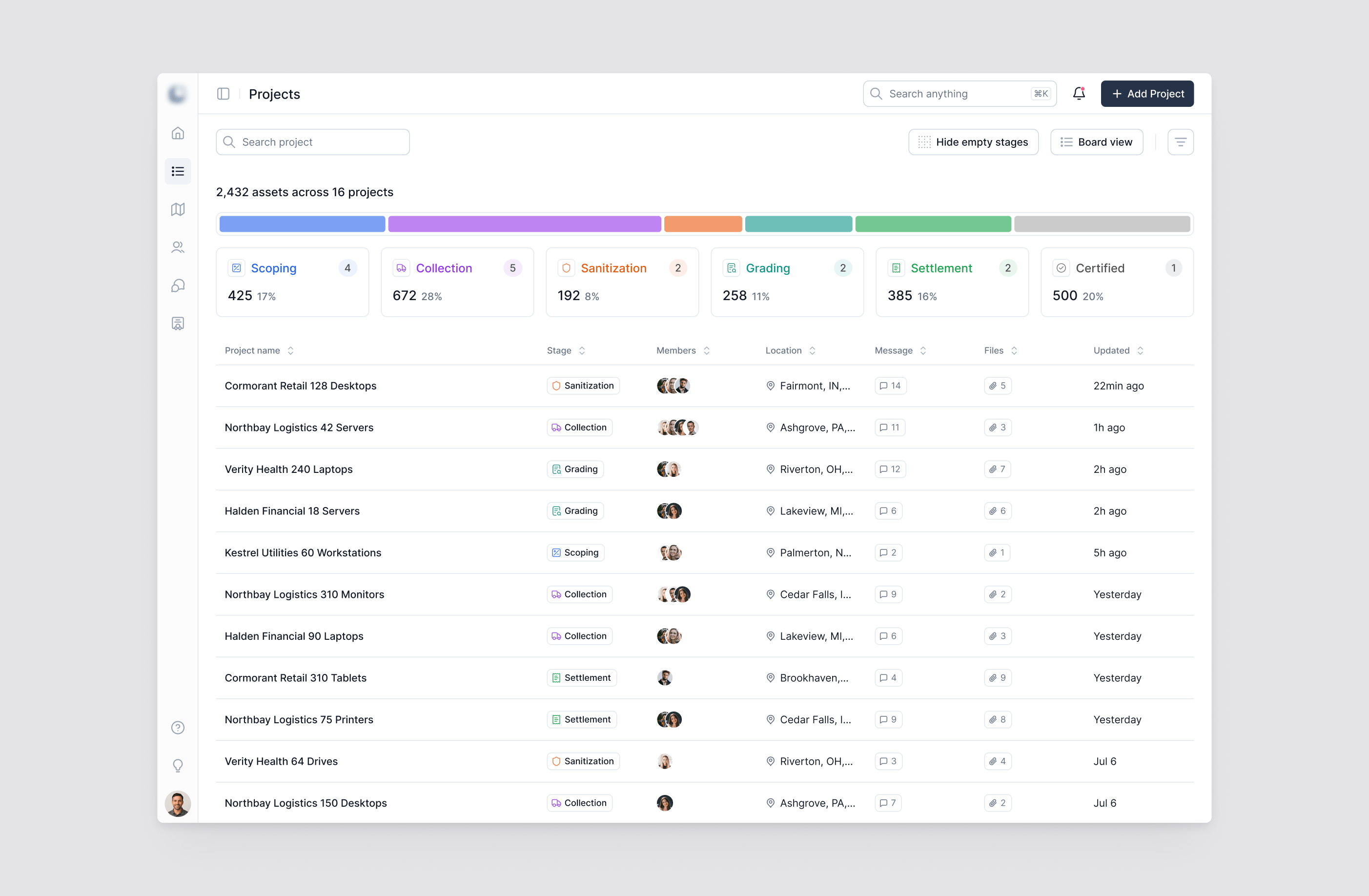
Data table UI design for asset tracking at scale
The list view turns the same six-stage pipeline into a sortable, searchable asset tracking table. A distribution bar and stage summary at the top show how assets are spread across the pipeline, and each row gives the project's stage, team, location, message and file activity and last update. The team can switch between board and list without losing context, depending on whether they need the overall picture or one specific project.
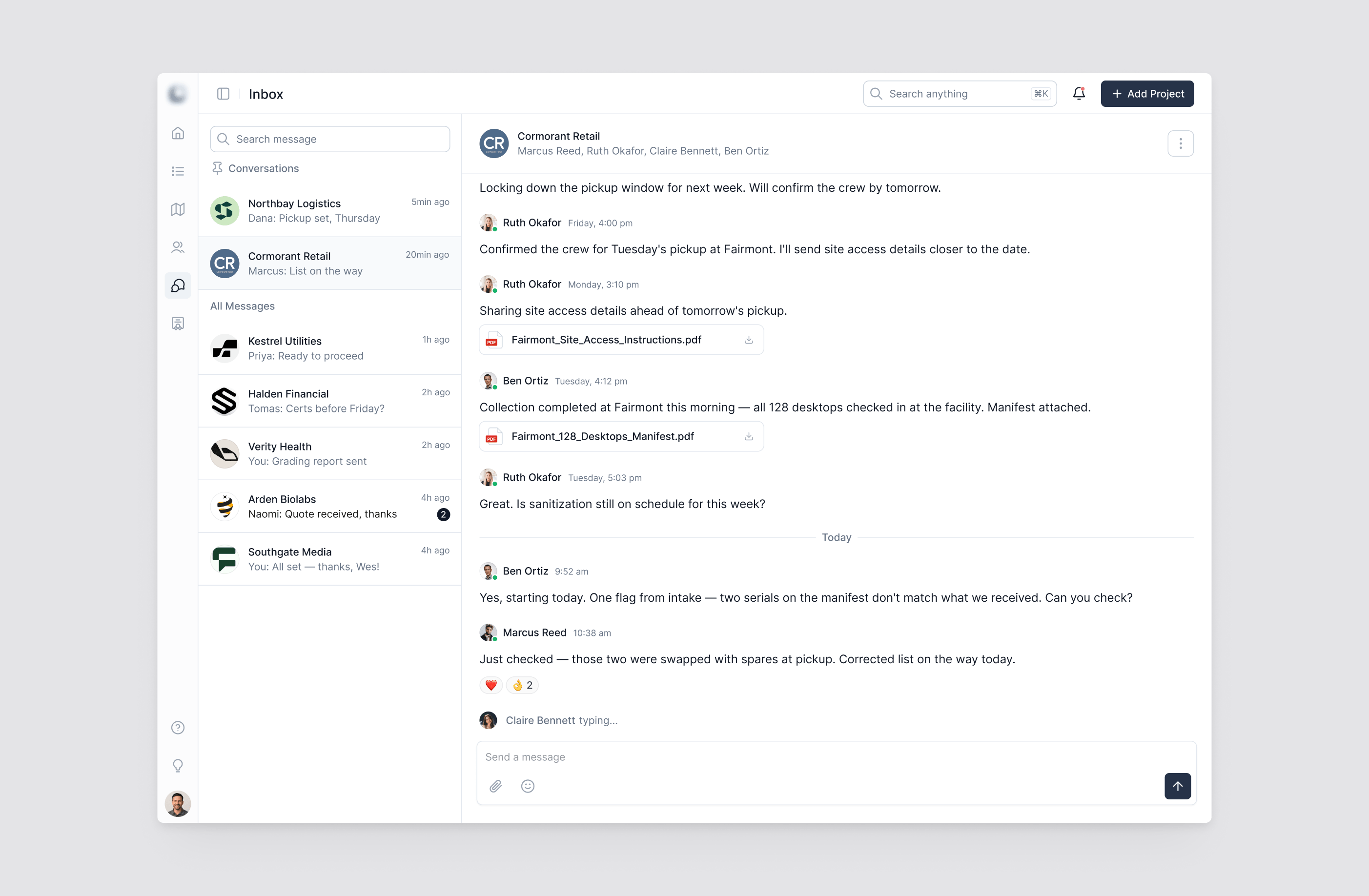
In-app messaging UX design for B2B client communication
Clients can now stay in touch with their project team without leaving the platform or calling in for updates. Conversations are organised by client account, with pinned threads and search, and files such as site access instructions or equipment manifests are shared directly in the thread. Pickup details, intake discrepancies and schedule questions are settled in one place, next to the rest of the project work.
Document management UX for audit-ready compliance reporting
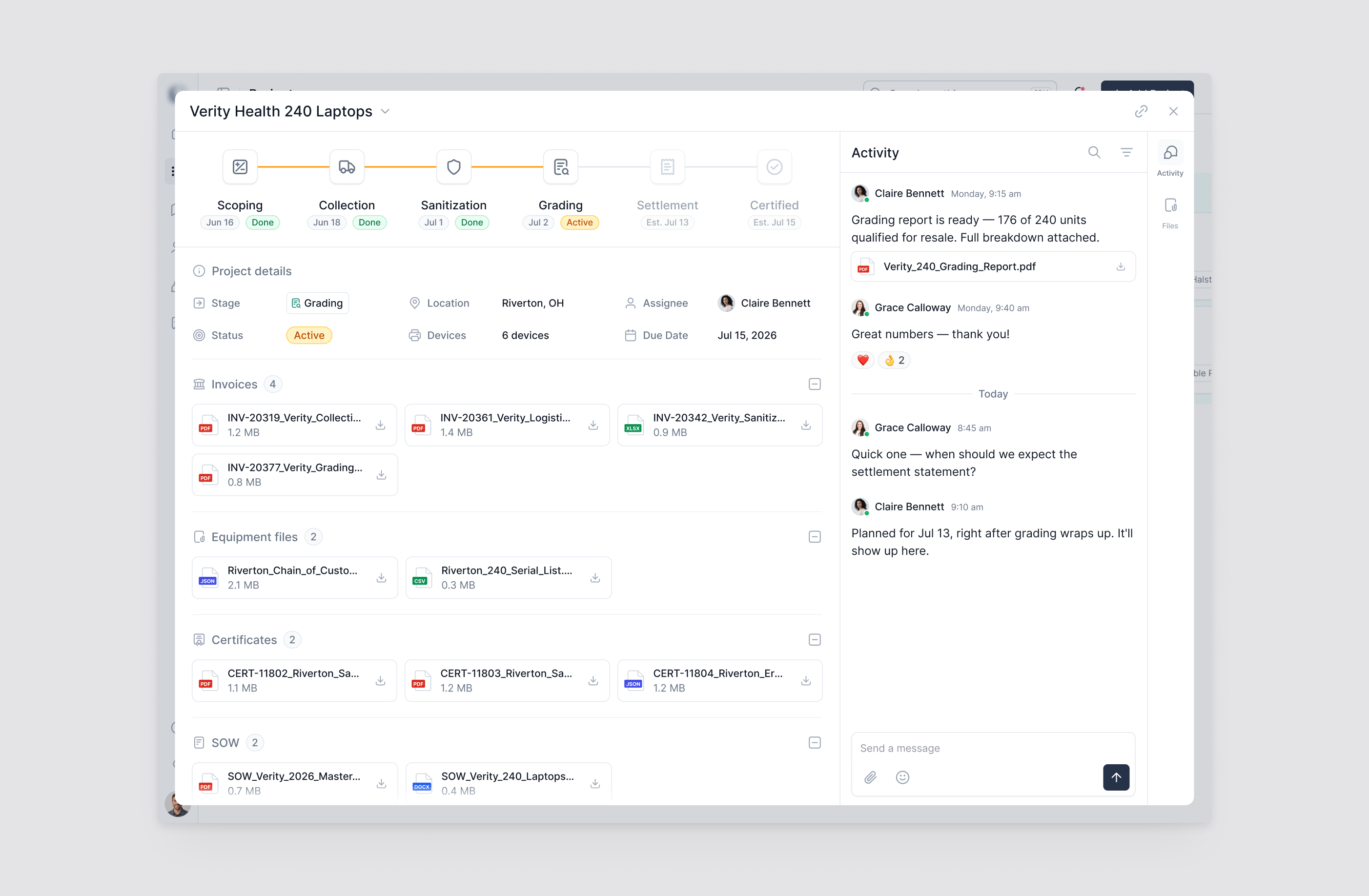
In a compliance-heavy industry, every project has to end with reporting that can go straight to an audit. Each project opens into a single record with its details and current stage, the full pipeline timeline with verified and planned dates, and an activity thread where the team and the client discuss that specific project. Documents sit in their own groups: invoices, equipment files, certificates and statements of work, so the right file is found by what it is, not by searching a flat list.
Outcome & Impact
Clients used to call in for project updates. Now they track their project directly in the client portal, from scoping to certification, and find the documents their compliance teams ask for in the same place. For the team running it, the platform works better day to day, with internal workflows redesigned around how projects actually move.
For clients, the dashboard, project tracking, messaging and emails present one consistent experience that matches the level of professionalism the business built its reputation on. The platform stopped being an internal tool with a client view attached and became enterprise software designed around the people using it on both sides.